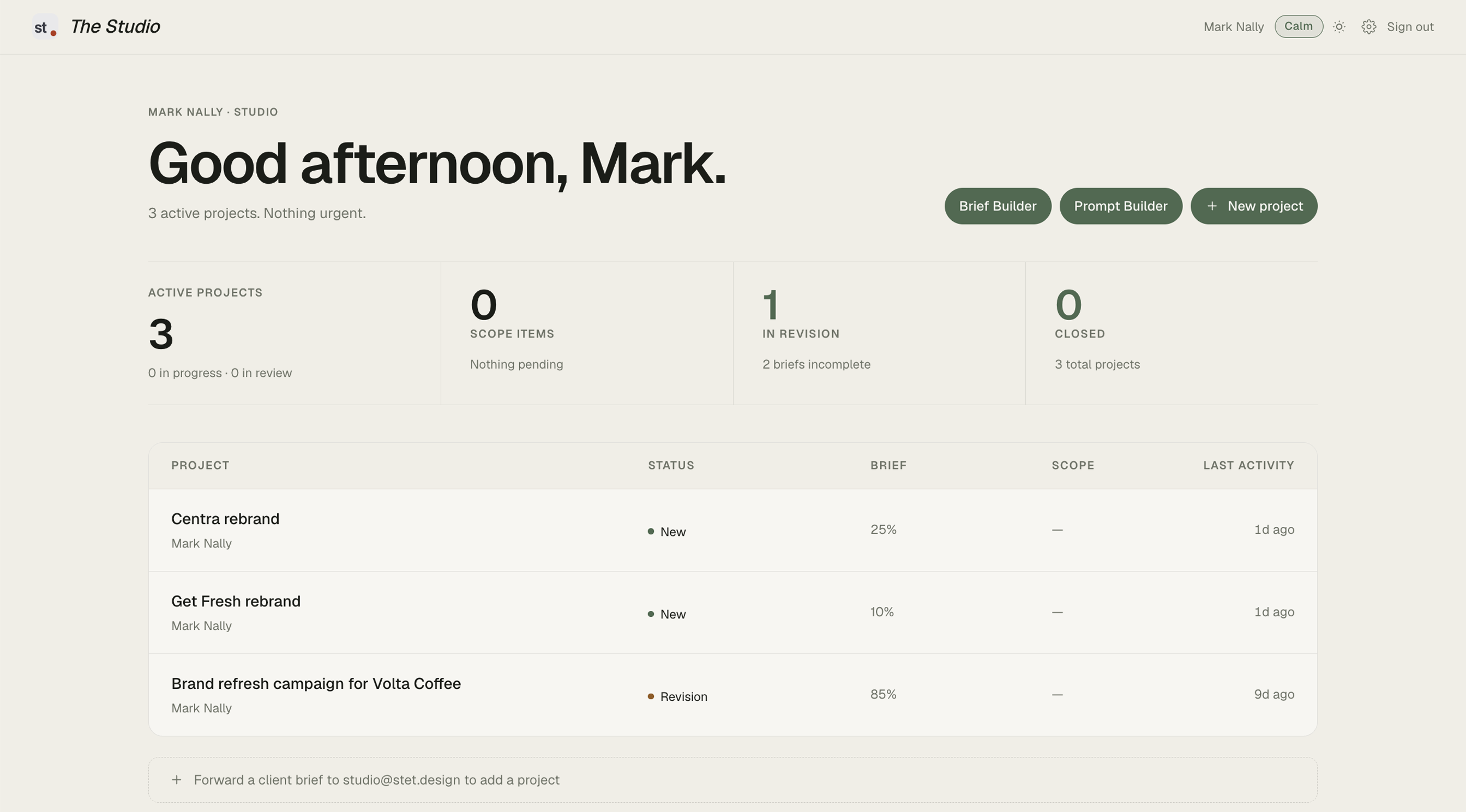
The screenshots throughout this document are not mockups. They are taken from a live project processed through The Studio.
A brief arrived from a client requesting a full brand refresh campaign for Volta Coffee. The brief was detailed but incomplete. It named deliverables, a deadline, a budget, a target audience, and a key message. It did not specify file formats, the number of logo concept rounds, how many social media templates per platform, whether existing brand assets should be retained or replaced, competitor references, photography style preferences, or a milestone payment schedule.
The Interrogator scored the brief at 85 out of 100. Twelve of fourteen fields confirmed. Seven gaps identified. Each gap was named specifically and listed with an individual Ask button so the creative could choose which to raise and which to leave. The score reflected the brief accurately. It was a strong brief with specific blind spots. The system recognised that and responded proportionally. It did not treat a detailed brief the same as a vague one.
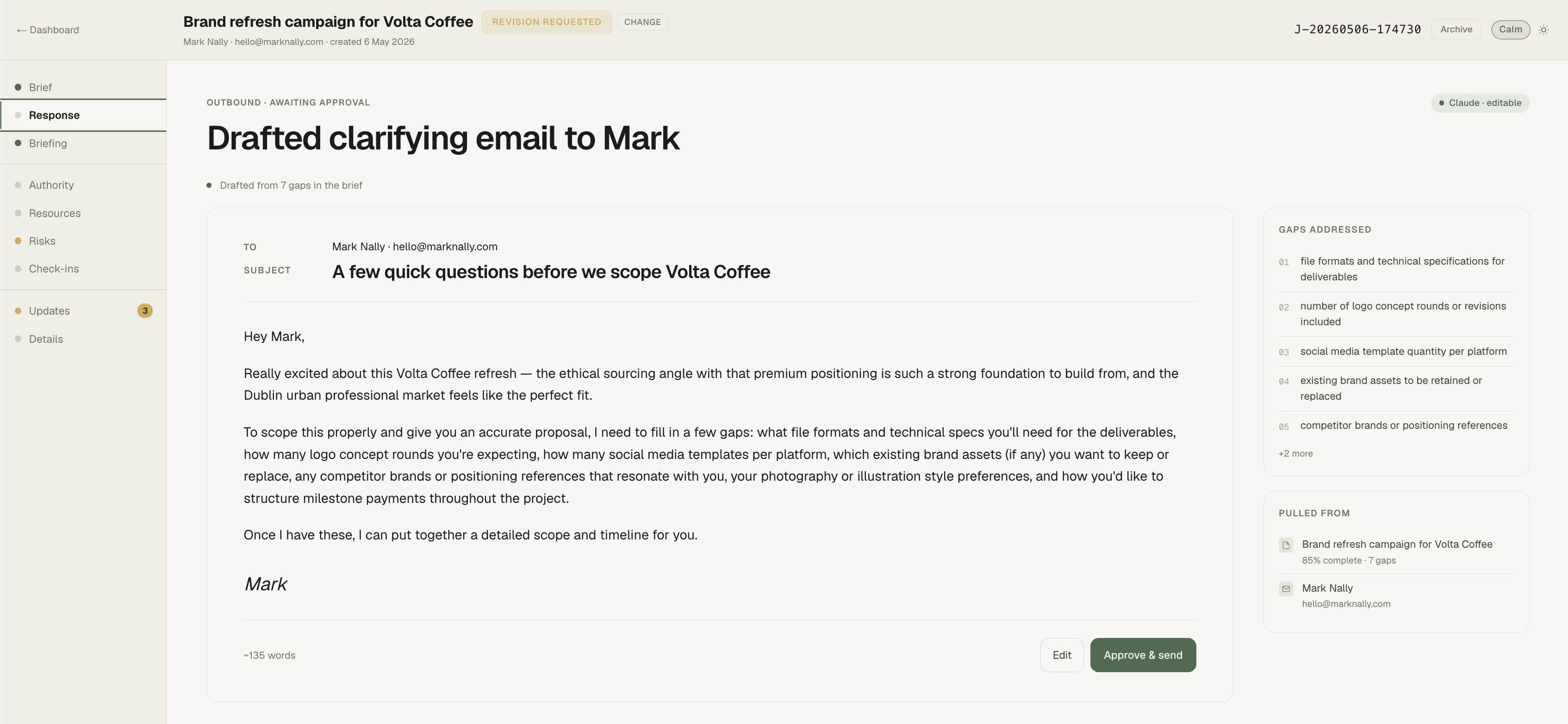
The Brief Clarifier drafted a clarifying email. It addressed all seven gaps in a single message. 135 words, addressed to the client by name. The tone was professional and warm. It opened by acknowledging the strength of the brief and the positioning before asking for what was missing. The seven gaps were woven into a natural paragraph, not presented as a numbered list. The email read as a colleague checking alignment, not as a system generating questions. It sat in the Response tab, waiting for approval. Nothing sent until the user reviewed it and pressed Approve.
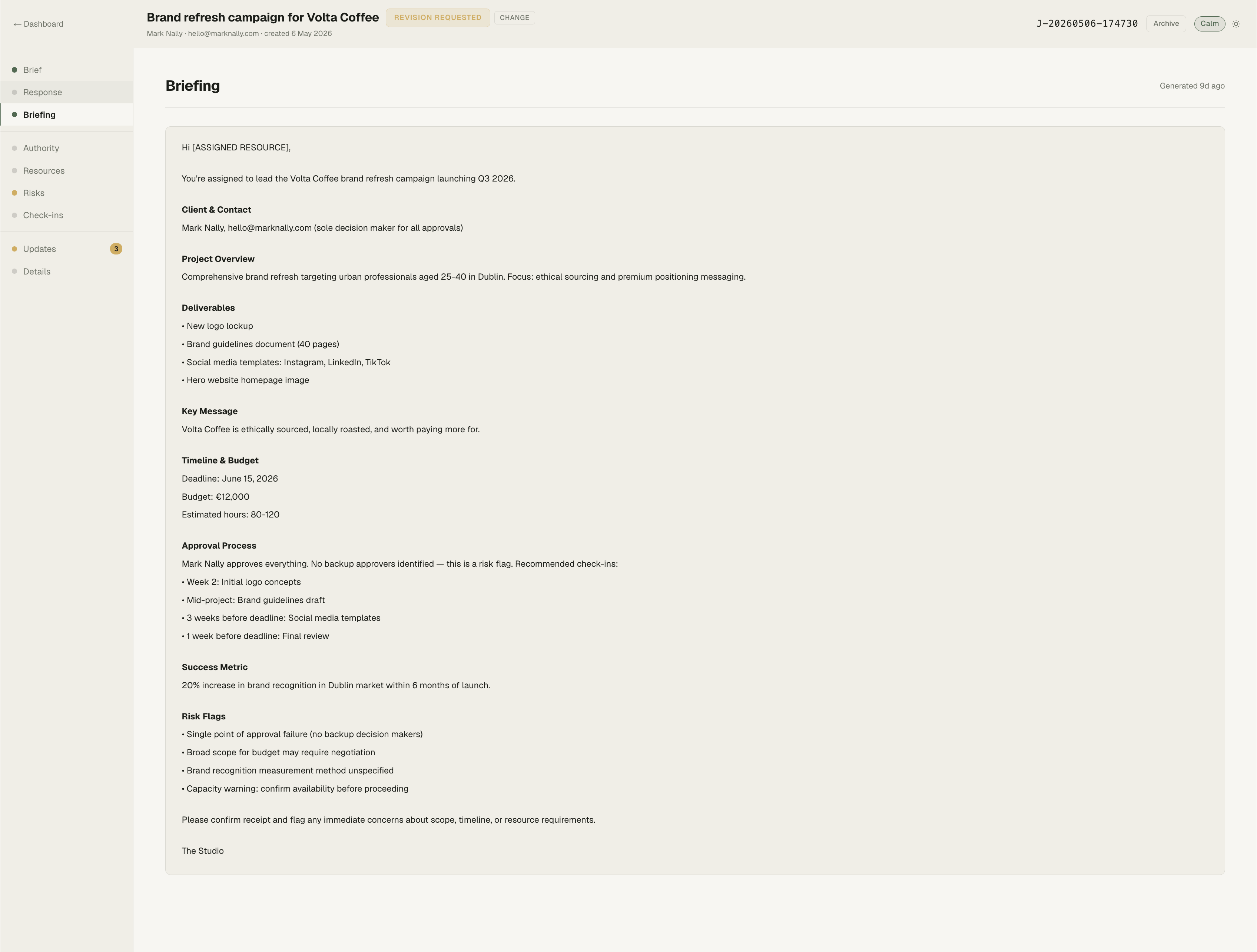
When completeness crossed 80%, the Referee generated a full internal briefing document. Client contact. Project overview: comprehensive brand refresh targeting urban professionals aged 25 to 40 in Dublin, focused on ethical sourcing and premium positioning. Four deliverables listed individually: new logo lockup, brand guidelines document at 40 pages, social media templates for Instagram, LinkedIn, and TikTok, and a hero website homepage image. Key message: Volta Coffee is ethically sourced, locally roasted, and worth paying more for. Timeline with a June 15 deadline. Budget of €12,000. Estimated hours of 80 to 120. An approval process noting Mark Nally as sole approver with no backup, flagged as a risk. Recommended check-in milestones at four points across the project. Success metric: 20% increase in brand recognition in the Dublin market within six months of launch. Four risk flags.
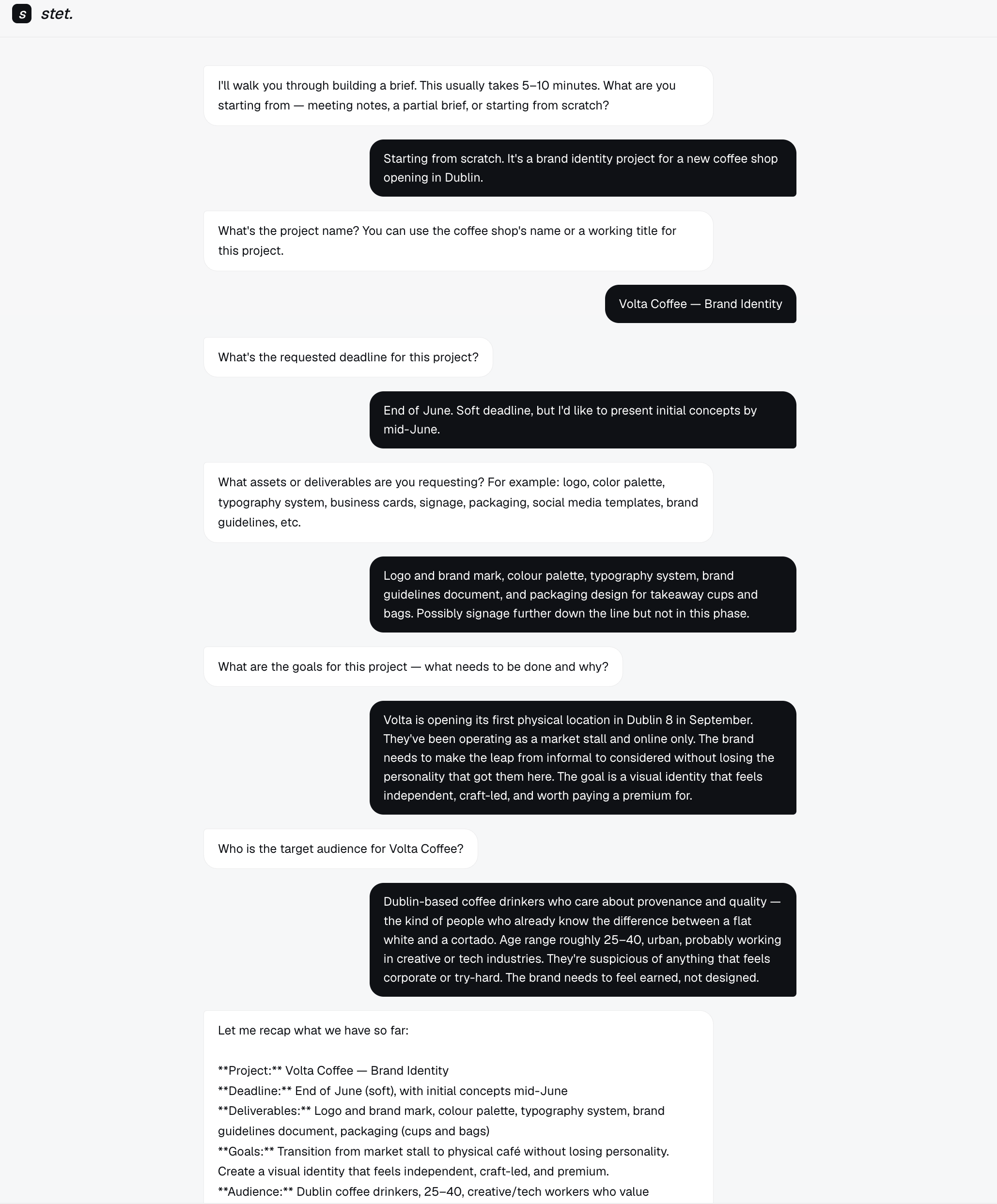
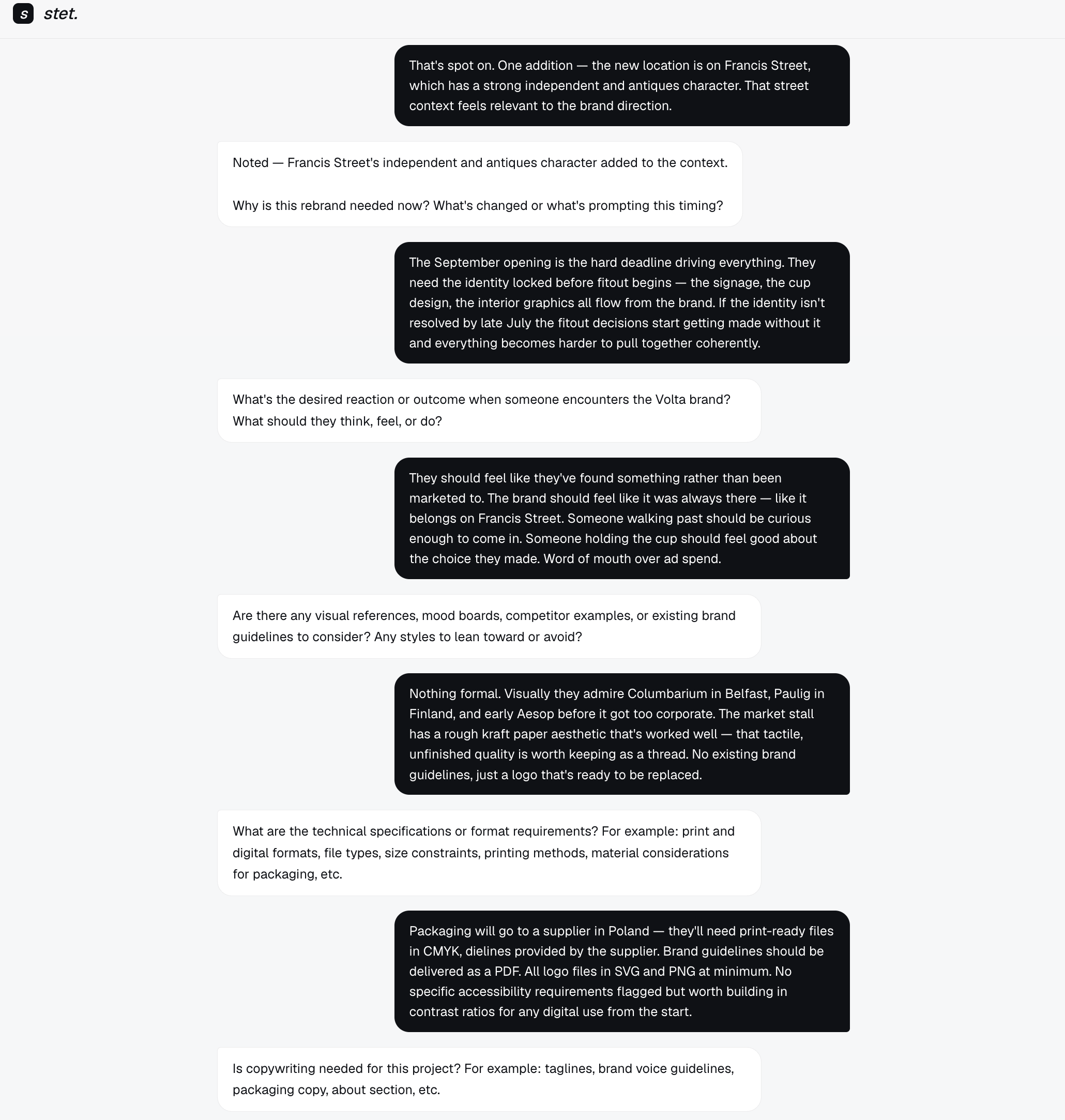
This is the document an account manager would normally write before handing a job to the creative team. The system produced it from the intake conversation alone. No form was filled in. No template was completed. Every field was extracted from the email exchange.
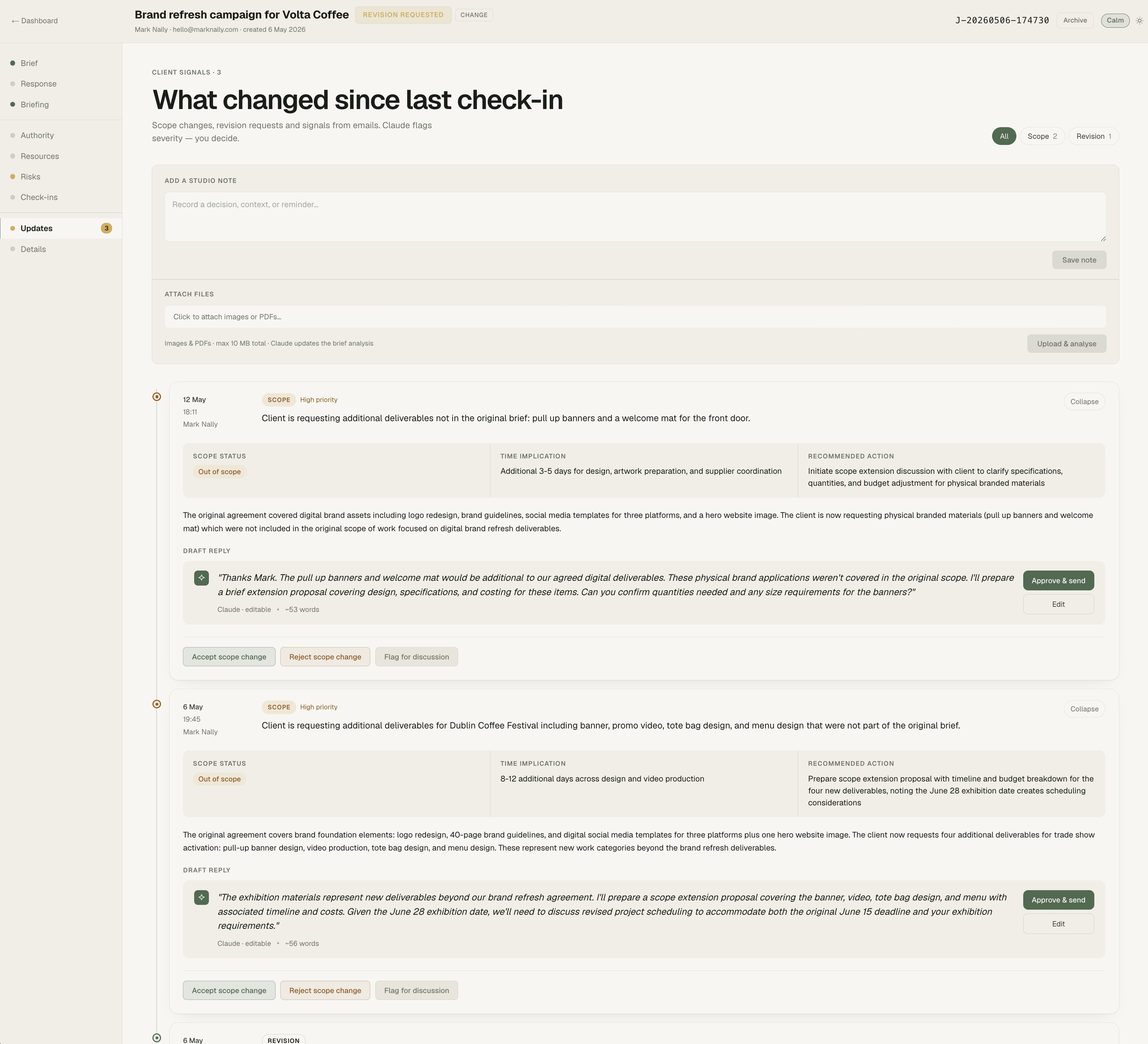
After the job started, the client requested additional deliverables not in the original brief. Pull-up banners and a welcome mat for the front door. Physical branded materials that were not part of the agreed digital brand refresh. The Gatekeeper raised a scope flag. It assessed the request as out of scope, estimated an additional three to five days for design, artwork preparation, and supplier coordination, and recommended initiating a scope extension discussion. A draft reply was generated, explaining that the physical materials would be additional to the agreed digital deliverables and offering to prepare a brief extension proposal covering design, specifications, and costing. The user could accept the scope change, reject it, or flag it for discussion.
A second scope flag followed. The client requested deliverables for the Dublin Coffee Festival: banner, promo video, tote bag design, and menu design. The Gatekeeper assessed this as four new deliverables across new work categories, estimated eight to twelve additional days, and drafted a reply noting the exhibition materials as new work beyond the brand refresh agreement. It referenced the original June 15 deadline and noted that the June 28 exhibition date created a scheduling conflict that would need to be discussed.
Without the Gatekeeper, these two requests would likely have been absorbed. The creative would have nodded, started the extra work, and felt the cost in hours and margin weeks later. The system made the scope boundary visible at the moment it was crossed. The decision to accept or reject was still the creative's. But the decision was informed, recorded, and explicit.
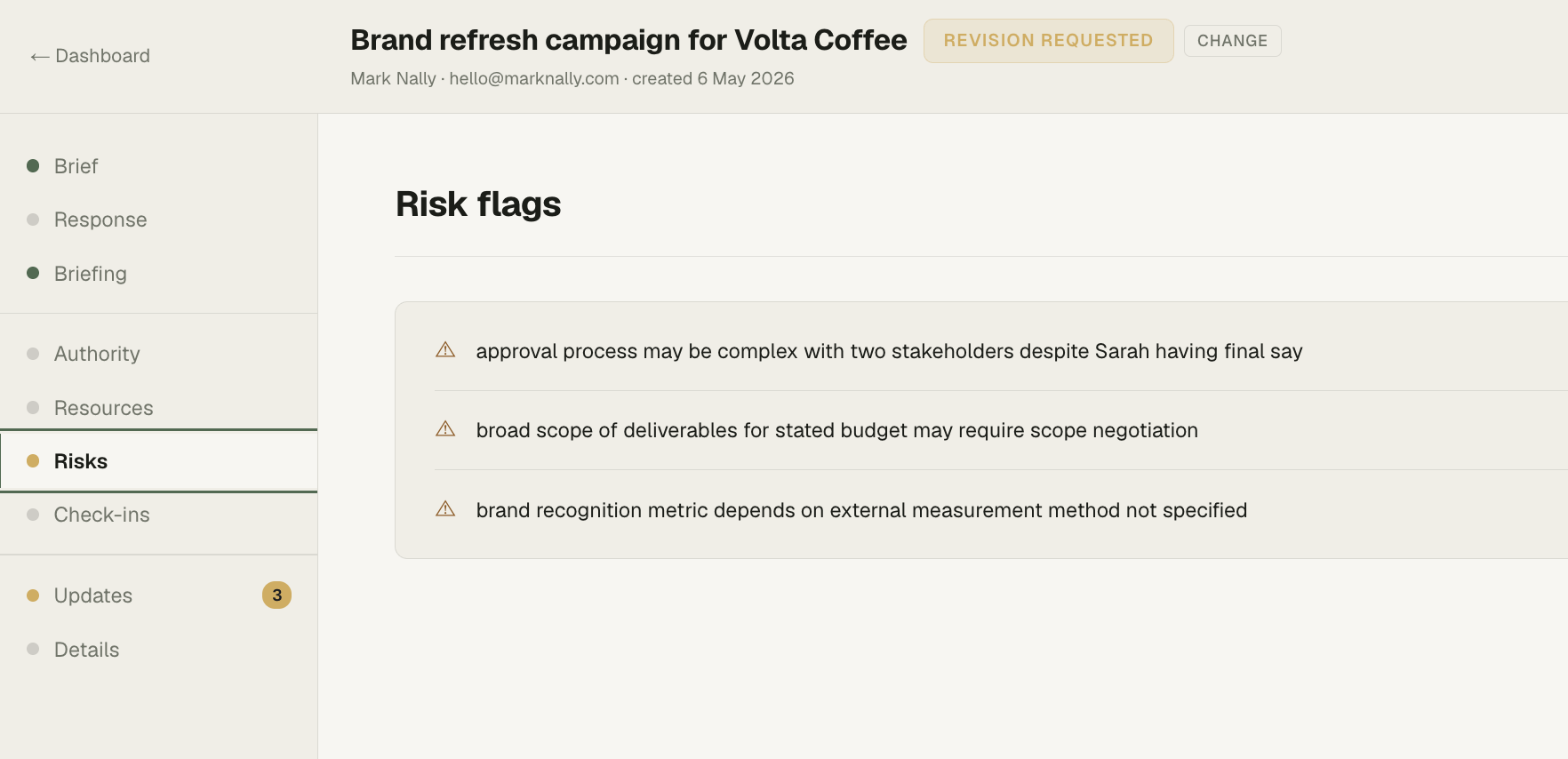
The Risks tab surfaced three flags from the brief itself, before any scope issues arose. The approval process involved two stakeholders despite one having final say, creating ambiguity about who needs to see what and when. The scope of deliverables was broad for the stated budget, which could lead to scope negotiation later. The success metric depended on brand recognition measurement in the Dublin market, but the method of measurement had not been specified. Each flag was a specific observation drawn from this brief. None of them came from a generic risk template.
This is one project. One brief. One complete pass through the system. The intake pipeline read an unstructured email, scored it, identified what was missing, drafted a clarifying response, generated an internal briefing document, and then monitored the ongoing conversation for scope and revision signals. Each step left a visible trace. Each decision point waited for the human.
The most useful evidence is not that the system works. It is that every section of the job detail page was populated by reasoning over the brief, and the output was specific enough to act on.